Modernizing MySQL: A Hands-On Approach to Online Migration from On-Premises MySQL to OCI HeatWave using OCI DMS
Introduction
Migrating a mission-critical database requires careful planning, precise execution, and a clear understanding of both the source and target environments. When transitioning from on-premises MySQL to MySQL HeatWave on Oracle Cloud Infrastructure (OCI), organizations can unlock significant performance gains, integrated analytics capabilities, and enhanced scalability. This guide focuses on how to perform the migration using the OCI Database Migration Service (DMS), highlighting the preparation steps, configuration requirements, and procedures involved. Before starting the migration, it’s important to evaluate expected downtime, application compatibility, performance baselines, network design, security controls, and user testing to ensure a smooth and reliable transition to the cloud.
Why Migrate to MySQL HeatWave?
Integrated OLTP + analytics engine
Faster query performance with HeatWave in-memory acceleration
Fully managed database service with automated backups, patching, and HA
Enhanced security features with OCI IAM and network policies
Lower operational overhead compared to self-managed MySQL
Migration Environment
Source: On-premises MySQL 5.7 / 8.x
Target: MySQL HeatWave on OCI
Architecture Overview:

This architecture illustrates how an on-premises MySQL database is migrated to an OCI MySQL HeatWave instance using the OCI Database Migration Service (DMS).
Source Database (On-Premises MySQL)
The migration begins from an on-premises MySQL environment where applications and user groups are connected to the database.
OCI Database Migration Layer
OCI Database Migration orchestrates the entire migration workflow.
The Pre-Migration Advisor Tool evaluates the source database for compatibility, identifies issues, and provides recommendations before migration.
Migration Paths: architecture supports two migration modes:
Online Migration (Using GoldenGate)
Ensures minimal downtime by continuously replicating changes from source to target.
Offline Migration (Using MySQL Shell Export/Import)
Data is exported from the source database, stored in Object Storage, and later imported into the target.
Target Database (OCI MySQL HeatWave)
The final stage where the fully migrated and optimized database resides in OCI MySQL HeatWave, ready for analytics, OLTP, and scale-out workloads.
Prerequisites:(premigration checklist)
Have an Oracle Cloud Infrastructure (OCI) account.
OCI Sign in/Sign up page: https://cloud.oracle.com
Set up a VPN connection from OCI to on-premises.
Note: use Site-to-site VPN or FastConnect.
3. Ensure firewall allows MySQL port (3306) and that binlog/replication traffic not blocked.
4. OCI account & permissions:
Note : OCI tenancy, compartment, IAM permissions to create networks, Object Storage, MySQL HeatWave instances, and DMS migrations.
Source Database Readiness
• Binary logs enabled (ROW + FULL row image)
• Replication user created
• Adequate binlog retention for CDC
On OCI, create a HeatWave MySQL instance.
[You can create either a Standalone or High Availability HeatWave MySQL instance. Both options are fully-managed.]
Provision OCI HeatWave MySQL:
7. Install MySQL Shell 8.1 (or above) on a compute instance (OCI ) that can connect to your Heatwave MySQL.
Download MySQL Shell: https://dev.mysql.com/downloads/shell/
Install MySQL Shell: https://dev.mysql.com/doc/mysql-shell/8.0/en/mysql-shell-install.html
Migration Steps:
1. Below is the on-premises MySQL instance version and the sample database (“Imdb”) that will be migrated for this guide. The sample Imdb database consists of 22 tables.


Connect to Source Database using command line as below and perform the prechecks.
We have created an user “admin” , effectively this works like a full super user ( very similar to root) with ability to create, modify, manage users, grant permissions to others and perform administrative tasks.
mysql> CREATE USER 'admin'@'%' IDENTIFIED BY <password>;

Query OK, 0 rows affected (0.007 sec)

mysql> GRANT ALL ON . TO admin@'%' WITH GRANT OPTION;

Query OK, 0 rows affected (0.004 sec)
If you want to use different user for replication , then you can create the user and assign privileges as instructed in this doc.
In production, it’s recommended to:
• Restrict the host (e.g., 'admin'@'10.0.0.%')
• Grant only required privileges
Avoid GRANT ALL and WITH GRANT OPTION unless absolutely necessary
Target Database :
OCI Heatwave MySQL created as below.

Connecting to Target Database from Compute instance as below

Create DMS Connections (Console)
Before creating database connection, ensure to prepare your databases for migration.
Database connections specify networking and connectivity settings for the source and target databases. Click Create connection and fill in the required fields for each database server involved in the migration.
Source connection: OCI Console → Database Migration → Connections → Create MySQL Connection → fill host, port, user “admin” and test connectivity.
Target connection: Create an OCI MySQL Heatwave connection (choose the HeatWave DB System). For initial load credentials, provide admin user. Creating an OCI HeatWave connection


We have used admin user for both initial load and replication. You can choose different user for replication.
SSL configuration is optional

Click on create.
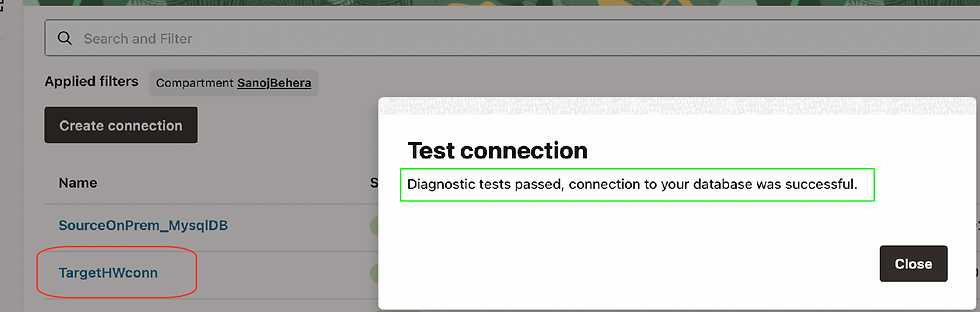
After the Connection is established, verify it by conducting a connectivity test.


Similar way , you can create a connection to Target OCI Heatwave Database and test the connections.
Start Migration Job:
Now we will create the migration job
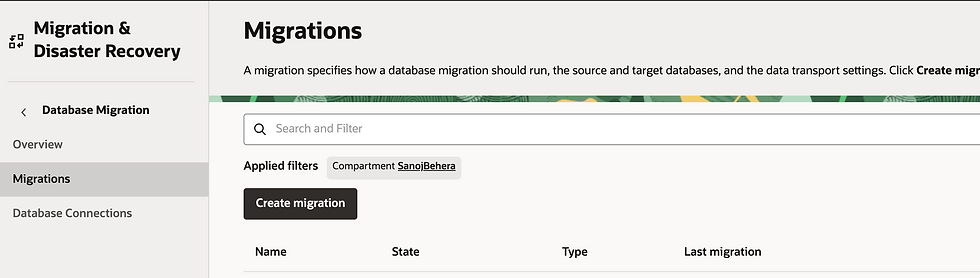
click on create migration Tab and fill up the necessary information's.

Select the Object Storage bucket as the transfer medium for the initial load, as shown below.
To set up an online migration, select the Use online replication option. This will allow for the replication of all data and metadata transactions from the source to the target database, starting after the initial load has commenced.

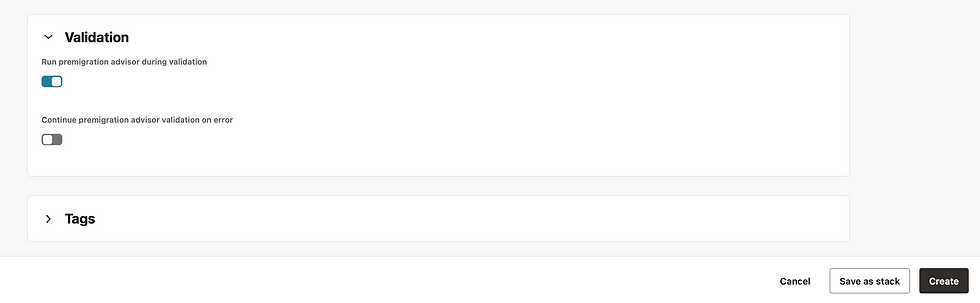
select Advanced Options to configure advanced replication, validation, and Oracle GoldenGate settings. The Advanced Options section allows you to optionally create tags.
For details about these settings see Selecting objects for MySQL migration, Configuring initial load advanced options for MySQL migrations, Configuring validation options, and Configuring optional replication advanced options.

Migration Job Mode: OCI DMS will migrate data based on the Job Mode you select. There are two options:
Full: performs a complete database export.
Schema (default): allows you to specify a set of schemas to export.
In our case, we used schema-based Migration.
To further tune performance, change the export modes, or select compatibility options, there are several settings that you can configure in the Migration resource Advanced Settings, Initial Load tab for MySQL migrations.


After selecting the necessary options as mentioned above, click on create Migration job.

Migration job created successfully

Now click on validate

Validation is successful

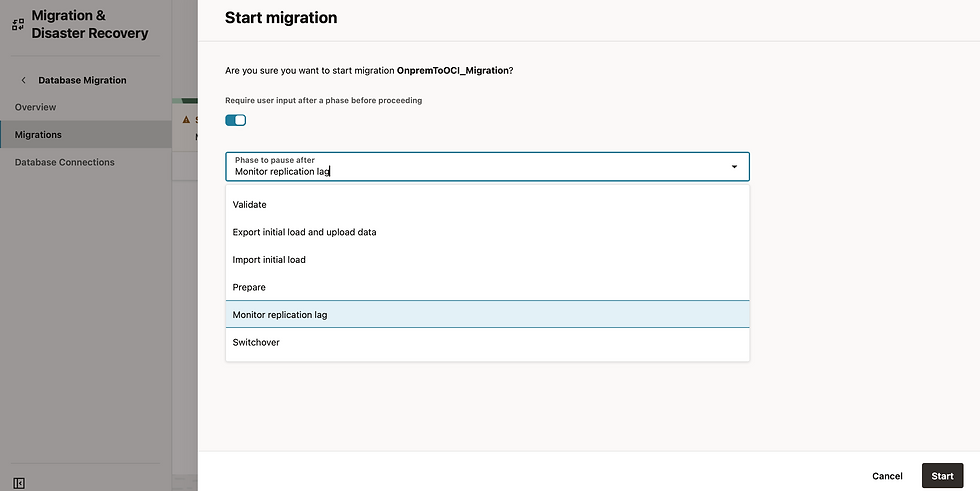
Click Start to initiate the migration process. The Start migration dialog will appear. Choose the default phase: Monitor replication lag. This will ensure that the replication continues to run until the Migration is resumed:
Go to Jobs in the Resources list on the left:
Select the latest Migration Job
Choose Phases from the Resources list on the left.
The job phases update as the migration advances.
Wait for the Monitor replication lag phase to finish.
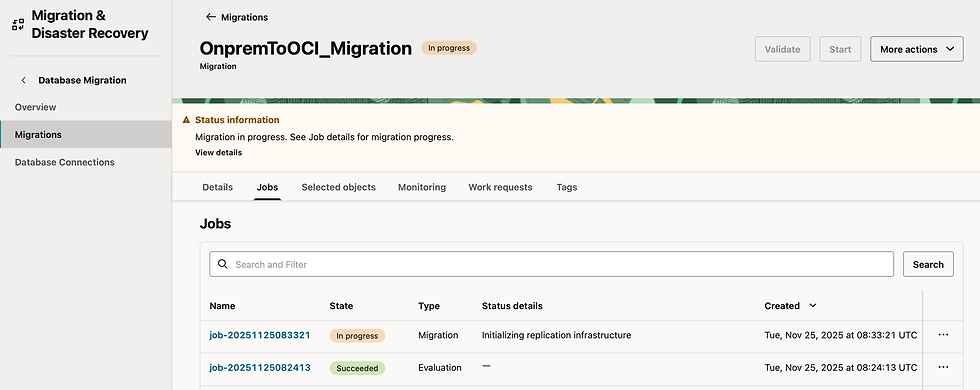
You can also track the status of the migration job while it is in progress as follows.

You can review the phases of migration as outlined below.

You can observe that the job phases have been finished up to the Monitor Replication Lag stage.
Note: In the DMS migration job workflow's replication phase, all data and metadata operations within transactions committed after the initial load are replicated until you resume the migration job following the Monitor Replication Lag phase.

At this stage, we confirmed that both the Source and Target are in sync.
At Target, all 22 tables have been successfully migrated.


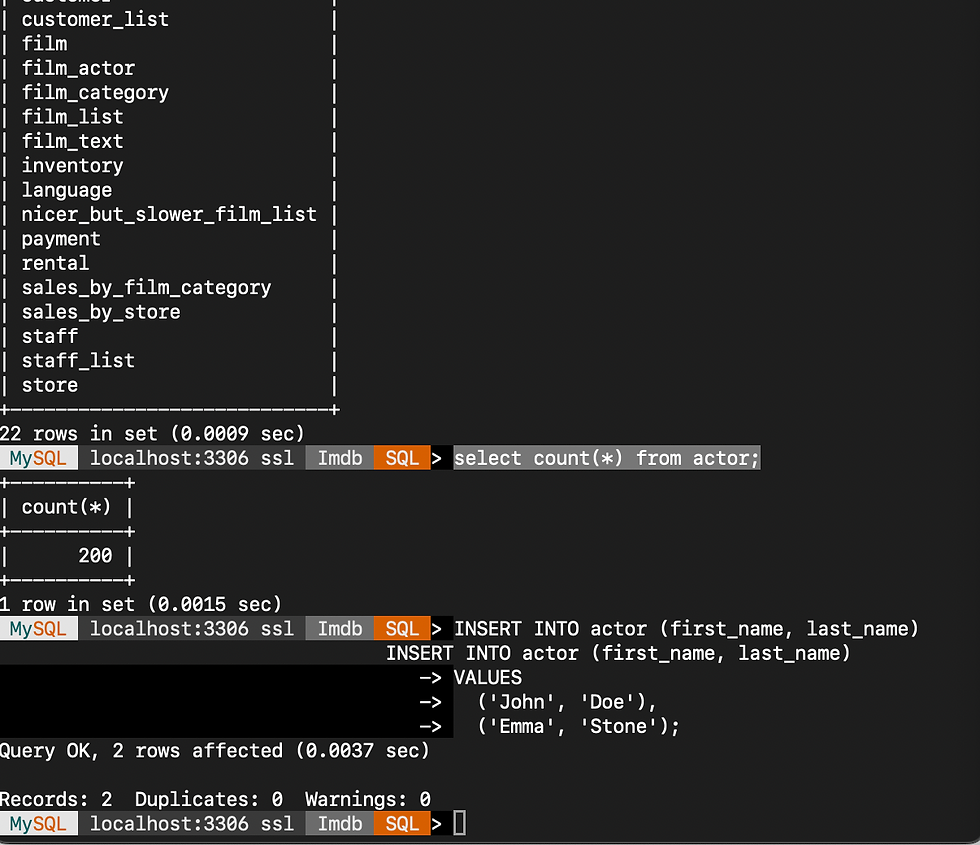
To confirm our CDC replication, we will execute several transactions (data inserts) on the source table "actor". We will load some new data and check if it replicates to the target.
Inserted 2 new records as below
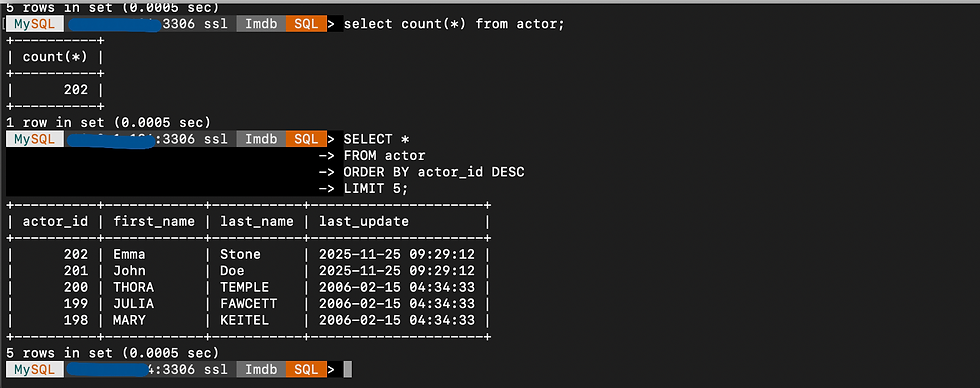
At Target , we can see records have been replicated successfully.
After Last transactions replicated, we can now do the switch over applications as below.

Click on Resume.

The migration has been successfully completed!
Summary
This post demonstrated how to migrate an on-premises MySQL database to OCI MySQL HeatWave using OCI Database Migration Service (DMS) with near-zero downtime.Using OCI DMS, you can seamlessly move your mission-critical on-premises MySQL workloads to MySQL HeatWave on Oracle Cloud Infrastructure, ensuring high performance, scalability, and minimal service interruption during the migration.
For more information about migrating MySQL databases using DMS, see:
Comments